
Port Forwarding Use Case
Gaming NAT and Strict NAT Fix Guide
Gaming NAT problems are often less about one single server port and more about the overall path: console NAT type, UPnP behavior, Double NAT, and whether the upstream network lets peer-to-peer sessions form cleanly.
Expanded use-case review - May 7, 2026
Quick context
A user saying ‘my game NAT is strict’ may be dealing with console network tests, party chat problems, long matchmaking times, host-selection issues, or a hidden Double NAT path. The goal is to separate general router health from platform-specific symptoms.
Use this order before you start changing settings.
See the flow visually
Why gaming NAT feels different
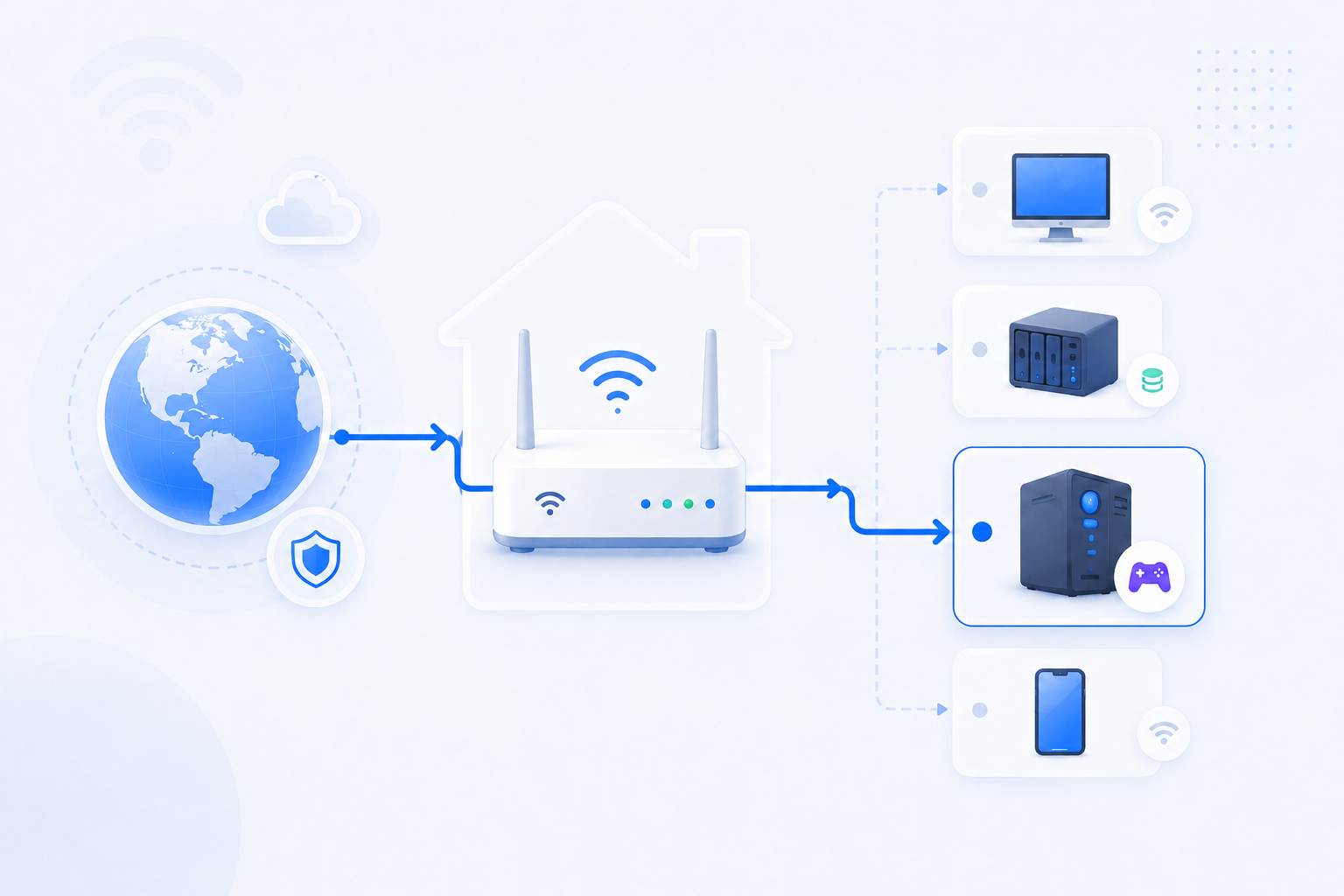
Console and peer-to-peer gaming issues are often symptoms of the whole NAT path, not just one missing single-rule forward.
- Party chat and matchmaking can fail before classic hosting does.
- UPnP, Double NAT, and ISP topology matter a lot.
- A console can see Moderate or Strict NAT even when web browsing is normal.
Related visual cues
Helpful visuals for this page
Selected RouterWiz visuals that match this topic.

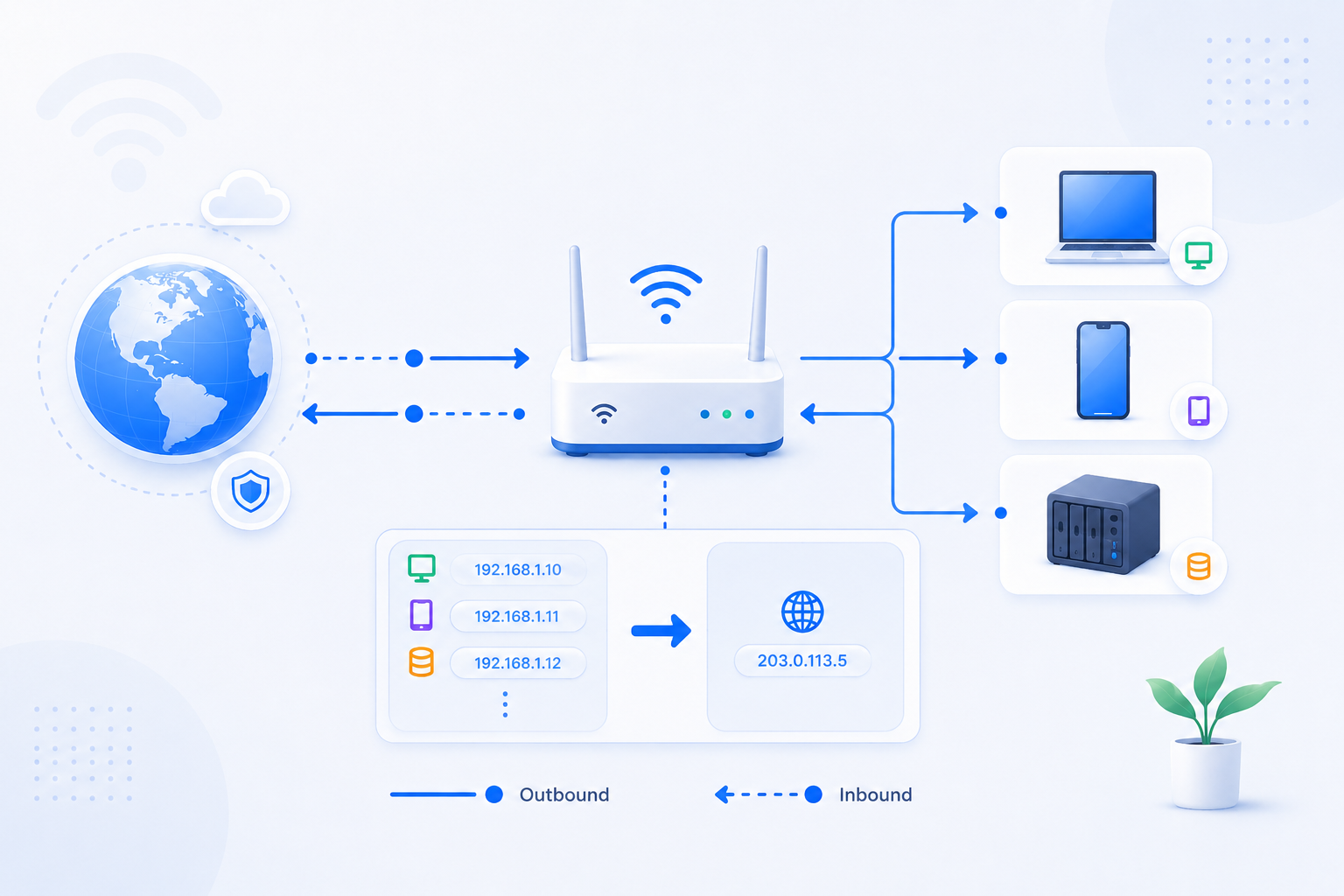
What to know first
Step-by-step
- Check the console or game client’s own NAT or network status screen first so you know whether you are dealing with Open, Moderate, Strict, Type 2, or Type 3 behavior.
- Identify which device is the real main router. If the console sits behind an ISP gateway plus another router, fix that topology question before changing ports at random.
- If the router supports UPnP and your security policy allows it, test whether enabling UPnP improves the console state before you build manual one-off rules.
- If you prefer manual rules, give the console a stable internal IP first. Then use game- or platform-specific ports rather than generic guesses.
- If the NAT type remains Strict or matchmaking is still limited, compare the router WAN IP with the public IP and look for Double NAT or CGNAT.
- If you use multiple routers, consider AP mode or a simpler single-router path. Console NAT issues often improve only after the upstream path is cleaned up.
- Retest party chat, matchmaking, and the platform network screen after each major change instead of making several unrelated edits at once.
Checks and notes
- UPnP can improve gaming NAT, but it does not override an upstream ISP limitation or a hidden Double NAT path.
- Some games publish platform-specific port lists, while others mostly depend on the platform network state and peer connectivity quality.
- A console showing a better NAT type after one change does not guarantee every game will behave identically.
Warnings
- Do not open broad DMZ or random high-risk rules for a console without understanding the tradeoff.
- Do not assume Strict NAT always means one missing port. The whole topology may be wrong.
FAQ
Is manual port forwarding always better than UPnP for gaming?
Not always. Manual forwarding is more explicit and easier to document, but many home users reach acceptable gaming NAT behavior with UPnP if the topology is simple and the upstream path is clean. The bigger problem is often Double NAT, not the existence of one missing manual rule.
Why do party chat and matchmaking fail even though normal internet use works?
Because web browsing is not the same network pattern as peer-to-peer gaming or console voice traffic. NAT traversal, host selection, and inbound reachability matter much more in those cases.
Recommended references
Gaming NAT issues often mix platform language, router behavior, and matchmaking symptoms. These references help confirm how consoles and game publishers describe the same problem.
RouterWiz should still lead the actual fix path. Use these sources to confirm how console vendors and publishers label NAT state, UPnP, and open versus strict behavior.
Official and publisher sources
Use these to translate between console NAT labels and real network symptoms.
Port Forward and NAT FAQ
Activision Support
Explains open, moderate, and strict NAT, and how different platforms describe the same connection limits.
Useful when the user understands the game symptom but not yet how that maps to router settings and NAT type.
PlayStation Connectivity Support
PlayStation Support
The main PlayStation connectivity support hub for internet connection setup and troubleshooting.
Good when PlayStation-specific symptoms and console-side tests need to be separated from router changes.
??? ?? ????
FTP? passive mode?? ??? ???, ? ??? ??? ??? ????? ??? ??? ?? ????. ???? ?? ????? ?? ???.
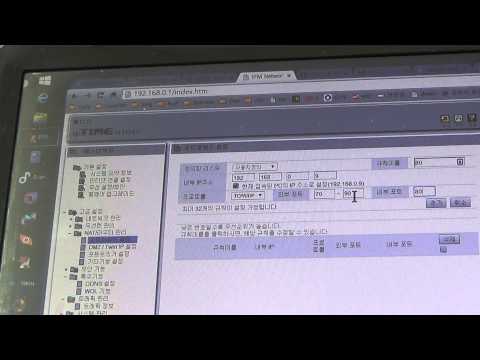
iptime 공유기 포트포워딩 기능 설정해서 외부에서 컴퓨터에 접속하는 방법
단비스 Review
ipTIME에서 포트포워딩 메뉴로 들어가 실제 값을 넣는 과정을 한국어로 보여주는 영상입니다.
RouterWiz 본문을 읽은 뒤 실제 메뉴 위치와 입력 화면을 한 번 더 보고 싶은 사용자에게 잘 맞습니다.
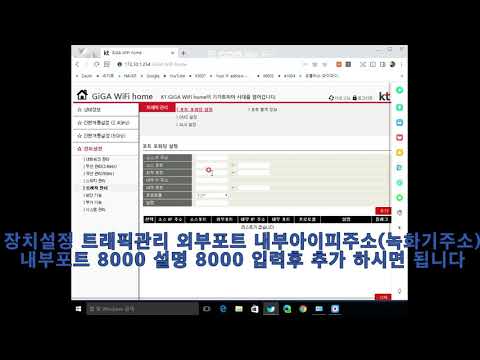
kt공유기 포트포워딩 설정방법
dvr smart
KT 공유기에서 포트포워딩 규칙을 넣는 실제 메뉴 흐름을 보여줍니다.
KT 장비에서 어떤 장비를 먼저 만져야 하는지 감이 잡힌 뒤, 실제 포트 규칙 입력을 보강하기 좋습니다.

SK브로드밴드 공유기 포트포워딩 하는 방법
CCTV세상
SK브로드밴드 공유기에서 포트포워딩을 실제로 설정하는 과정을 보여주는 한국어 영상입니다.
SKB 환경에서 메뉴 위치와 규칙 입력 화면을 빠르게 비교하는 데 유용합니다.

엘지(LG) 유플러스(U+) 공유기 포트포워딩 하는 방법
CCTV세상
LG U+ 공유기에서 포트포워딩을 설정하는 한국어 실무형 영상입니다.
LG U+ 장비의 포트포워딩 메뉴 감을 빠르게 잡는 데 도움이 됩니다.