
Port Forwarding Use Case
Plex Port Forwarding
Plex remote access usually works only when the server is healthy, the rule points to the right internal host, and the public port is mapped correctly to internal TCP 32400.
Expanded use-case review - May 7, 2026
Quick context
Plex is a useful example because the router rule and the application status both matter. You can save a forward correctly and still see Plex report that remote access is unavailable if the server setting, the public port, or the upstream NAT path is wrong.
Use this order before you start changing settings.
See the flow visually
Plex remote access path
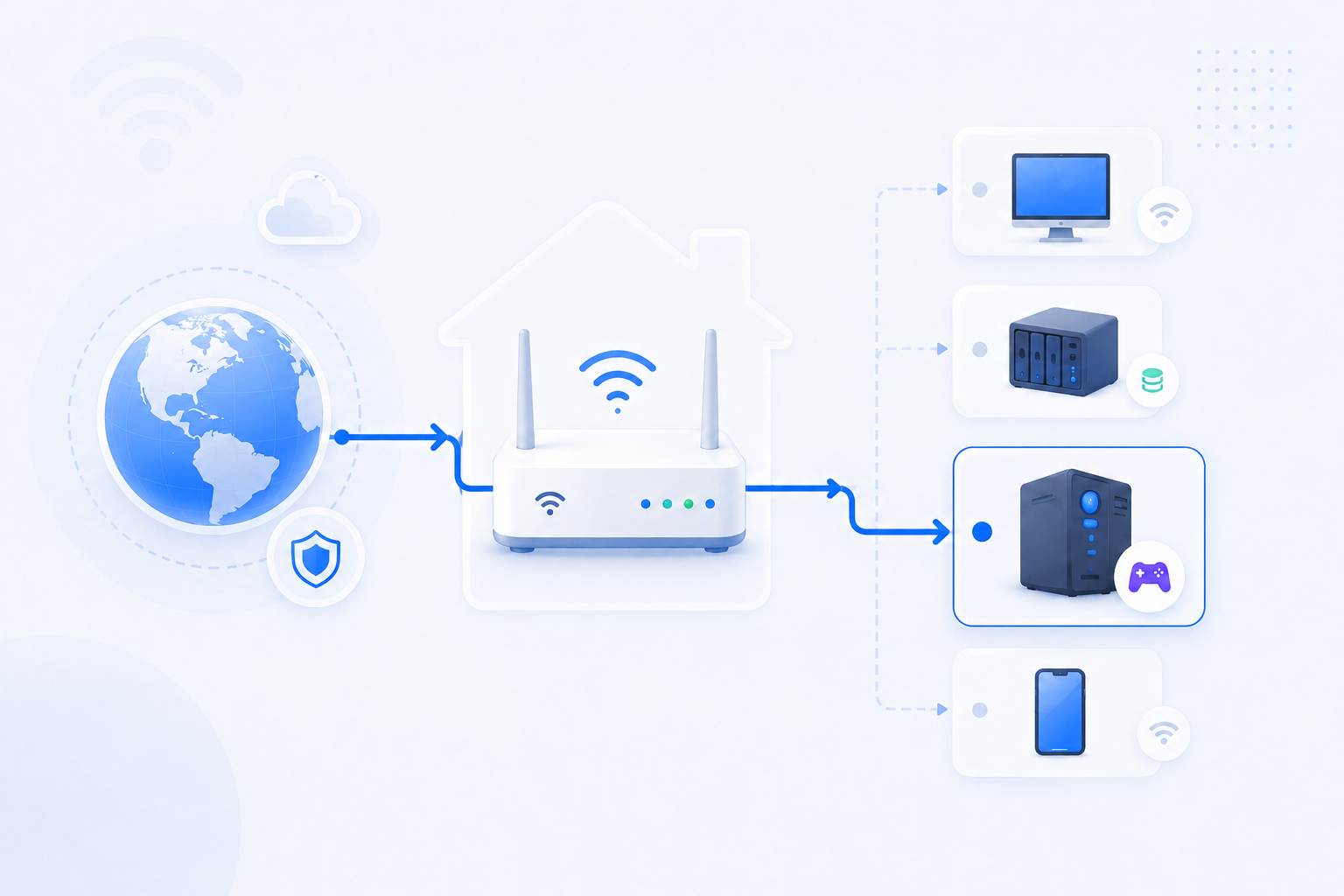
The public port must reach your Plex host, but the Plex server itself also needs to agree that remote access is working.
- The router path and the Plex server status have to agree.
- An outside port can map to 32400 internally.
- Relay working does not automatically mean direct access is healthy.
Related visual cues
Helpful visuals for this page
Selected RouterWiz visuals that match this topic.

What to know first
Step-by-step
- Confirm the Plex Media Server is running and reachable on the local network before you touch the router.
- Give the Plex host a stable internal IP using DHCP reservation or a fixed assignment so the forward does not drift to the wrong device.
- Forward the chosen WAN or external TCP port to internal TCP 32400 on the Plex host.
- If you manually choose a custom public port, update Plex so the server knows which public port it should expect for remote access.
- Save the router rule, apply the change, and verify whether Plex still reports the server as unavailable outside your network.
- Run a public port check on the external port you chose. Compare that result with what Plex itself reports in Remote Access.
- If the public test is closed, check Windows Firewall, host binding, and upstream Double NAT or CGNAT before changing unrelated Plex settings.
- If relay works but direct access does not, treat that as a routing clue rather than as proof that the router is fine.
Checks and notes
- Plex remote access can fail even when the app still works perfectly inside your home network.
- The internal port remains 32400 even if you decide to use a different public port outside.
- If you use two routers or an ISP gateway plus a personal router, upstream forwarding often matters more than the rule you can see first.
Warnings
- Avoid exposing broad NAS management interfaces just because you wanted Plex streaming.
- Do not treat relay success as proof that direct inbound access is secure or correct.
FAQ
Do I have to open external port 32400 specifically?
Not necessarily. Many users keep the external port at 32400 because it is easy to document, but Plex can also work with a custom public port mapped to internal TCP 32400 as long as the Plex server is told which public port to expect.
Why does Plex still say remote access is unavailable after I saved the rule?
Because Plex evaluates more than the router menu alone. The service must be listening, the rule must target the correct internal IP, the right external port must be known to Plex, and the upstream path must actually reach your home network.
What is the most common Korean home-network mistake here?
Users often finish the forward on ipTIME or another personal router, but the upstream KT, SK Broadband, or LG U+ device still owns the real inbound path. In those layouts, the rule can look correct while the outer gateway still drops the request.
Recommended references
Use these sources after reading the RouterWiz flow. Plex remote access often fails because the port mapping, the Plex setting itself, or the upstream NAT path is incomplete.
RouterWiz should remain the main guide. These links help you confirm service-specific details such as the internal port, the public port override, or what Plex itself reports after the router rule is saved.
Official sources
Use Plex support pages first for exact remote access behavior and service-side validation.
Plex Remote Streaming (Setting Up Remote Access)
Plex Support
Explains the default internal port 32400, the public port field, and how Plex tries UPnP or NAT-PMP before a manual forward.
This is the clearest official reference for the exact Plex-side setting you must match to your router rule.
Plex Troubleshooting Remote Access
Plex Support
Breaks down why Plex may still show remote access as unavailable even after you saved the forward.
Useful when the router rule looks correct but Plex still reports that the server is not reachable from outside.
Helpful alternatives
Use these when direct inbound access is not the cleanest answer.
Cloudflare Tunnel
Cloudflare Docs
Shows an outbound-only alternative when you do not want to expose a home service directly on a public IP.
Good fallback when Double NAT, CGNAT, or security policy makes classic forwarding a bad long-term fit.
??? ?? ????
?? NAT ??? ?? ???? ?? ?? ??? ?? NAT ??? ? ? ??? ????. ?? ??? ? ??? ?? ???? ?????.

KT 기가 와이파이 공유기 관리자 접속 및 와이파이 설정
곰세 iT
KT 홈 장비 관리자 접속과 기본 설정 흐름을 한국어로 보여주는 영상입니다.
172.30.1.254나 KT 홈허브 문맥이 낯선 사용자에게 가장 직접적인 화면 참고자료가 됩니다.

SK모뎀 브릿지모드설정 이거 하나면 끝!!!
베테우스
SK 상위 장비 브릿지 모드와 하위 개인 공유기 구조를 다루는 한국어 영상입니다.
SKB + 개인 공유기 조합에서 이중 NAT를 줄이려는 사용자에게 핵심 참고자료가 됩니다.

엘지모뎀 SUPER DMZ설정 이거 하나면 끝!!!
베테우스
LG U+ 상위 장비에서 SUPER DMZ를 보는 흐름을 설명하는 한국어 영상입니다.
직접 포트포워딩만으로 안 풀릴 때 DMZ 기반 우회 경로를 검토하는 데 유용합니다.
SK모뎀 브릿지모드설정 이거 하나면 끝!!!
베테우스
SK Broadband 상위 장비를 브릿지 모드로 돌려서 하위 공유기 쪽 이중 NAT를 줄이는 흐름을 한국어로 보여주는 영상입니다.
공유기 두 대 이상을 쓰는 집에서 '어느 장비를 라우터로 남기고 어느 장비를 브리지/AP처럼 쓸지'를 영상으로 이해하기 좋습니다.