
Tool
Router Login Helper
Narrow down the right admin URL, brand hostname, or operating system step before you waste time on the wrong router page.
Login route finder
Narrow down the right router login path
Browser Assist handoff
Once the likely login path is clear, continue into Browser Assist inside the real router page.
Browser Assist continues from the real login screen and helps confirm whether the current device is correct and which admin-password label matters first.
- Distinguish the ISP gateway login from the personal router login.
- Read whether the screen expects username and password, password-only, or captcha input.
- Move straight into router-menu guidance after the login step.
API endpoint
External services can call POST /api/tools/router-login-route to turn a router brand hint, known gateway, platform, and connection state into a likely login route with next-step guidance.
curl -X POST https://routerwiz.com/api/tools/router-login-route \
  -H "Content-Type: application/json" \
  -d '{
    "routerBrand": "kt",
    "gateway": "172.30.1.254",
    "platform": "windows",
    "connectionState": "yes"
  }'
See the flow visually
Router login is usually a local network problem first
Login path preview
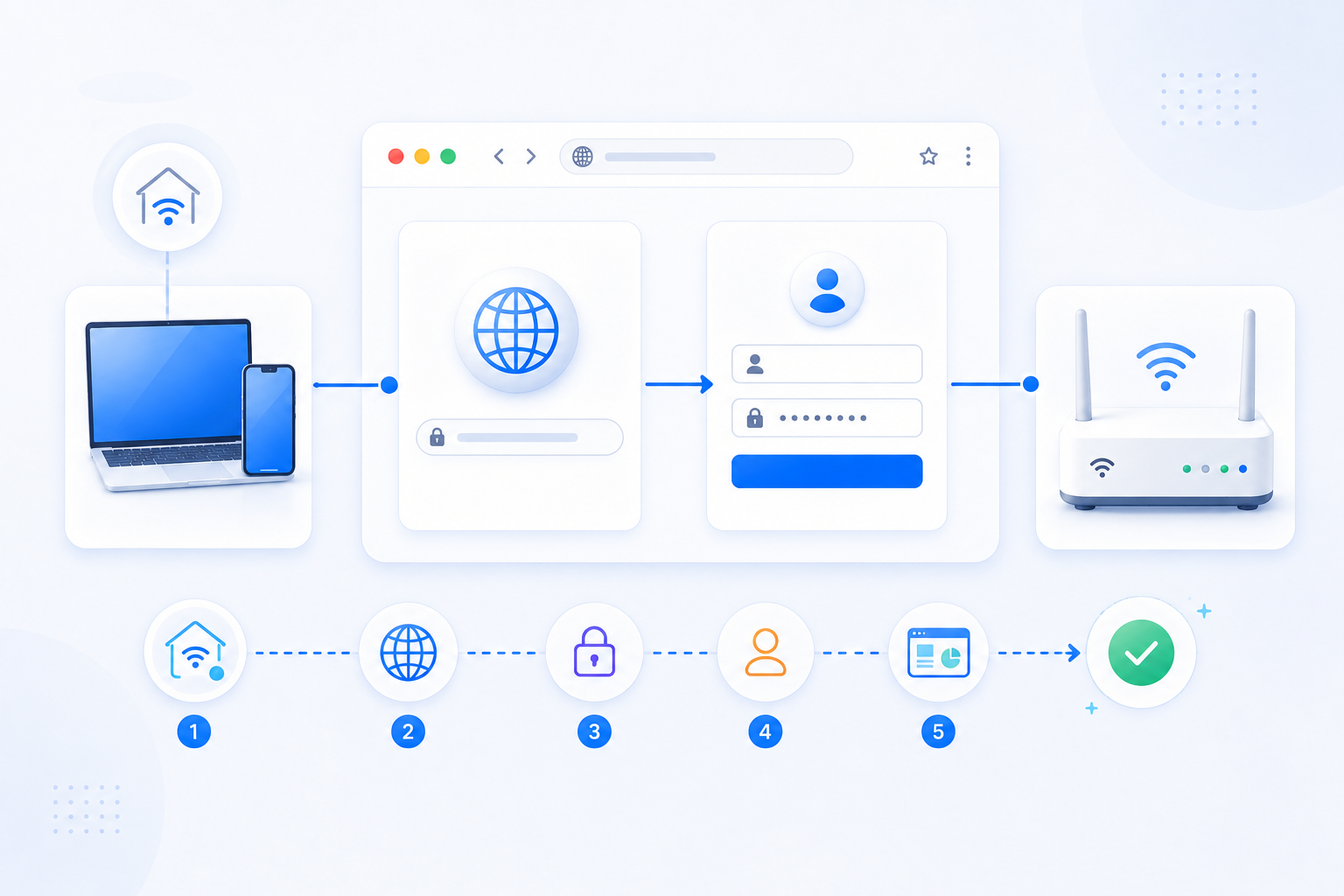
Before passwords and resets, confirm that you are on the correct Wi-Fi or LAN, using the correct gateway, and targeting the right brand path.
- Start from the actual default gateway when possible.
- Use brand hostnames only after you confirm the router family.
- Treat factory reset as a last resort, not the first fix.