
Port Forwarding Use Case
VPN Server Port Forwarding
VPN server forwarding depends on the product, protocol, and listening port you actually deployed. The cleanest result comes from matching the service defaults first, then deciding whether direct exposure is even worth it.
Expanded use-case review - May 7, 2026
Quick context
Users often say they need to forward a VPN, but that can mean very different things: OpenVPN Access Server, a WireGuard instance, a router-native VPN server, or a safer overlay alternative such as Tailscale. The first job is to identify what is really listening and which transport it expects.
Use this order before you start changing settings.
See the flow visually
VPN server decision path
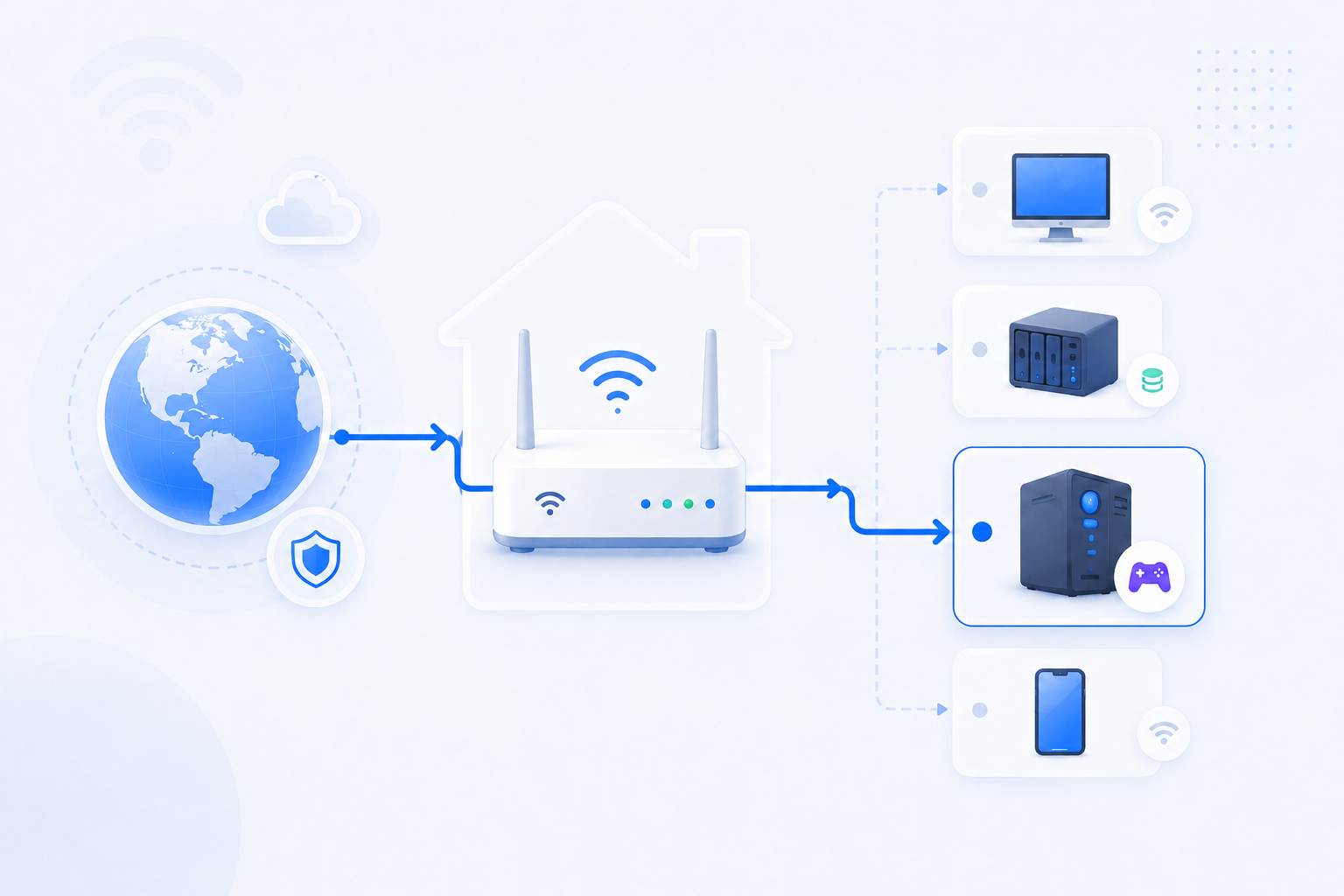
Start by identifying the exact VPN product and port. Then decide whether direct exposure, DDNS, or a no-forwarding alternative is the better long-term path.
- OpenVPN and WireGuard do not share the same defaults.
- Many home users need a stable hostname as well as a port rule.
- CGNAT can make classic inbound VPN hosting fail entirely.
Related visual cues
Helpful visuals for this page
Selected RouterWiz visuals that match this topic.

What to know first
Step-by-step
- Identify the VPN product and the actual port and protocol it listens on. Never assume the default if the server has already been customized.
- Confirm the VPN service is running and listening on the target device before opening any router rule.
- Assign the VPN server a stable internal IP and keep documentation of that address with the router rule.
- Forward the correct external port to the correct internal port and protocol. For example, many OpenVPN installations use UDP 1194, while many WireGuard deployments use UDP 51820.
- If you need to connect by hostname, set up DDNS or another stable naming method so the client is not tied to a changing public IP.
- Test from a genuinely external network. A same-network check does not tell you much about VPN reachability through the public path.
- If the port remains closed, verify firewall rules on the server itself and then investigate Double NAT or CGNAT.
- If your line is behind CGNAT or strict ISP constraints, stop repeating router edits and compare zero-trust or relay-style alternatives instead.
Checks and notes
- Some VPN products use more than one port or have separate admin and client traffic paths.
- If the server listens only on a private interface or loopback, the forward still appears closed from outside.
- If a commercial or overlay VPN can solve the use case without direct inbound access, it may be safer and more maintainable than classic forwarding.
Warnings
- Do not expose an unfinished VPN server without strong credentials, updated software, and documented firewall rules.
- Do not confuse a VPN admin UI port with the actual client tunnel port.
FAQ
Should I always forward a VPN server directly from home?
No. Direct inbound hosting can work, but it is not always the best answer. If the ISP path is restrictive, the hardware is managed, or the user simply needs reliable access more than network tinkering, an overlay or relay solution can be a better fit.
What is the most common mistake with VPN forwarding?
Users often open the port they expect instead of the port the VPN server is actually listening on. The next most common mistake is ignoring Double NAT or CGNAT while only changing the downstream router.
Recommended references
VPN server forwarding depends on the product you run, the transport you choose, and whether direct inbound access is even necessary.
Treat these references as product-specific detail pages. RouterWiz should still remain the main decision path for whether to expose a VPN server directly or move to a zero-trust or relay model.
Official sources
Check the vendor defaults and fallback models before opening anything on the router.
OpenVPN Access Server - Simple Infrastructure Setup
OpenVPN Docs
Shows the classic model where the Internet gateway forwards traffic from a public IP to the VPN server inside the network.
Useful when you want to understand the expected router path before translating it into your own forwarding rule.
Set the Interface and Ports for the Web Services
OpenVPN Docs
Covers default Access Server web and daemon ports such as TCP 943/443 and UDP 1194.
Helps you match the correct internal port and protocol to the service you actually deployed.
Safer alternatives
Keep these on hand when direct port exposure creates too much friction or risk.
Tailscale - What firewall ports should I open?
Tailscale Docs
Explains how a modern mesh VPN reduces or avoids the need for classic manual forwarding.
Good fallback when the user really wants remote access but the network path keeps failing or is managed by an ISP.
??? ?? ????
??? ??? ?? ???? ??? ???? ??? ???? ????? ??? ?? ???. Plex? ??? ???? ??? ???? ? ?? ????.
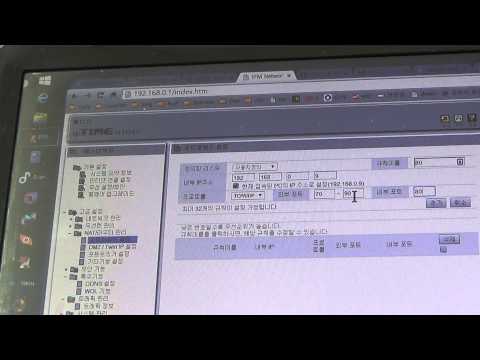
iptime 공유기 포트포워딩 기능 설정해서 외부에서 컴퓨터에 접속하는 방법
단비스 Review
ipTIME에서 포트포워딩 메뉴로 들어가 실제 값을 넣는 과정을 한국어로 보여주는 영상입니다.
RouterWiz 본문을 읽은 뒤 실제 메뉴 위치와 입력 화면을 한 번 더 보고 싶은 사용자에게 잘 맞습니다.
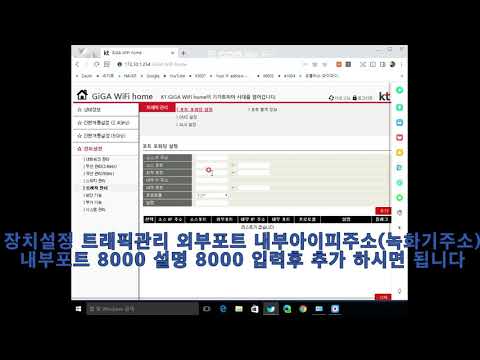
kt공유기 포트포워딩 설정방법
dvr smart
KT 공유기에서 포트포워딩 규칙을 넣는 실제 메뉴 흐름을 보여줍니다.
KT 장비에서 어떤 장비를 먼저 만져야 하는지 감이 잡힌 뒤, 실제 포트 규칙 입력을 보강하기 좋습니다.

SK브로드밴드 공유기 포트포워딩 하는 방법
CCTV세상
SK브로드밴드 공유기에서 포트포워딩을 실제로 설정하는 과정을 보여주는 한국어 영상입니다.
SKB 환경에서 메뉴 위치와 규칙 입력 화면을 빠르게 비교하는 데 유용합니다.

엘지(LG) 유플러스(U+) 공유기 포트포워딩 하는 방법
CCTV세상
LG U+ 공유기에서 포트포워딩을 설정하는 한국어 실무형 영상입니다.
LG U+ 장비의 포트포워딩 메뉴 감을 빠르게 잡는 데 도움이 됩니다.