
Router Login
192.168.100.1 Login Guide
Use 192.168.100.1 when your modem, ISP gateway, or bridge-mode device exposes a management page that does not match the rest of your home router subnet.
Expanded login workflow review - May 7, 2026
Quick context
192.168.100.1 is especially common on cable modems, modem-router combos, and devices that stay reachable even when they are in bridge mode. That means the page can be useful for diagnostics without being the place where you should configure port forwarding.
Use this order before you start changing settings.
See the flow visually
A modem page is not always the NAT router
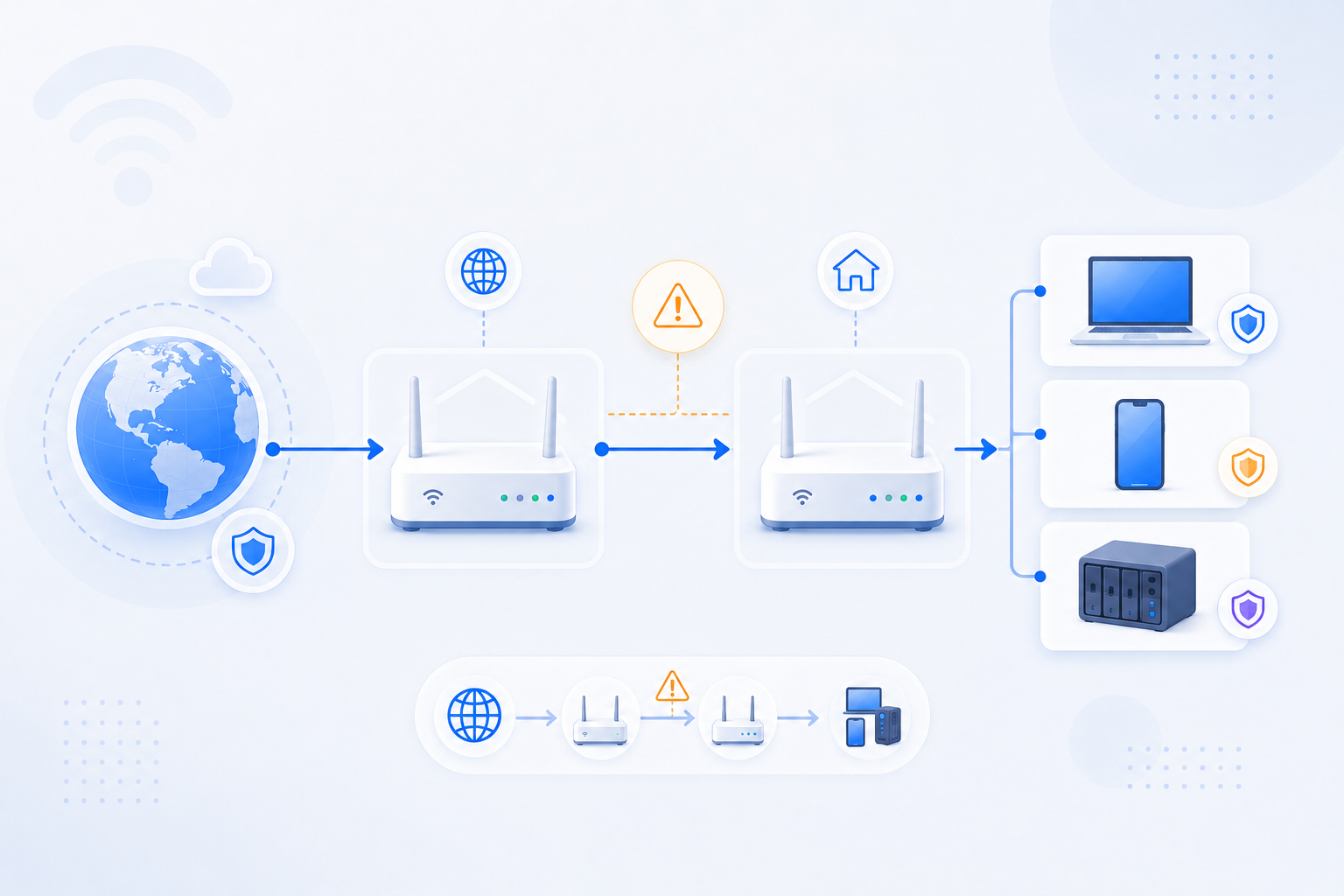
192.168.100.1 often helps you identify upstream modem or gateway behavior, but forwarding rules usually belong on the downstream router.
- Use it to confirm bridge status and WAN path.
- Do not confuse modem diagnostics with router administration.
- If a second router exists, login priority often shifts downstream.
What to know first
Step-by-step
- Open http://192.168.100.1 and identify whether the page belongs to a modem, bridge gateway, or modem-router combo.
- Look for WAN status, signal, bridge mode, or connection status clues before changing anything.
- If a second router is connected behind this device, decide whether the second router is the real place for login and port forwarding.
- Use the modem page to confirm ISP link health, but use the actual NAT router for firewall and forwarding rules.
- Document the exact modem or gateway model, because support steps vary more by ISP hardware than by private routers.
Checks and notes
- A modem page may still open on 192.168.100.1 even when your actual router login is 192.168.0.1 or 192.168.1.1.
- If the device is in bridge mode, the page may be mainly diagnostic rather than configuration-heavy.
- If port forwarding is failing, this page can help you confirm whether the modem is still routing unexpectedly.
Warnings
- Do not assume 192.168.100.1 is the correct page for port forwarding just because it opens first.
- Avoid random resets on modem or gateway devices unless you understand ISP recovery steps.
FAQ
Why can I reach 192.168.100.1 even when my router uses another IP?
Many modem and gateway devices keep 192.168.100.1 as a fixed management page for diagnostics, even when the real router behind them uses another private subnet.
What should I look for first on 192.168.100.1?
Check whether the device is acting as a modem, a router, or a bridge. That determines whether you should keep troubleshooting there or move to the downstream router.
Recommended references
Use these after the RouterWiz guide when you want an IP-specific explanation of 192.168.100.1 and why it often belongs to a modem or bridge-facing device rather than the final NAT router.
RouterWiz should remain the main workflow. These references help you confirm that 192.168.100.1 is often diagnostic or modem-facing, and that forwarding may still belong downstream.
IP-specific references
Use these when you want a second opinion on 192.168.100.1 as a modem, gateway, or combo-device login page.
192.168.100.1 | Router & Modem Admin Login
WhatIsMyIP.com
An IP-specific guide explaining that 192.168.100.1 often appears on modem-router combos and cable-style gateway devices.
Useful when users need a direct explanation of why 192.168.100.1 may open successfully but still not be the right place for the final port forwarding rule.
Xfinity Router Login and Password
WhatIsMyIP.com
A provider-focused example that mentions 192.168.100.1 among common gateway addresses on ISP-provided hardware.
Helpful as a second explanation of how ISP gateways and combo devices can use different local admin addresses from the downstream router.