
Glossary
What Is NAT?
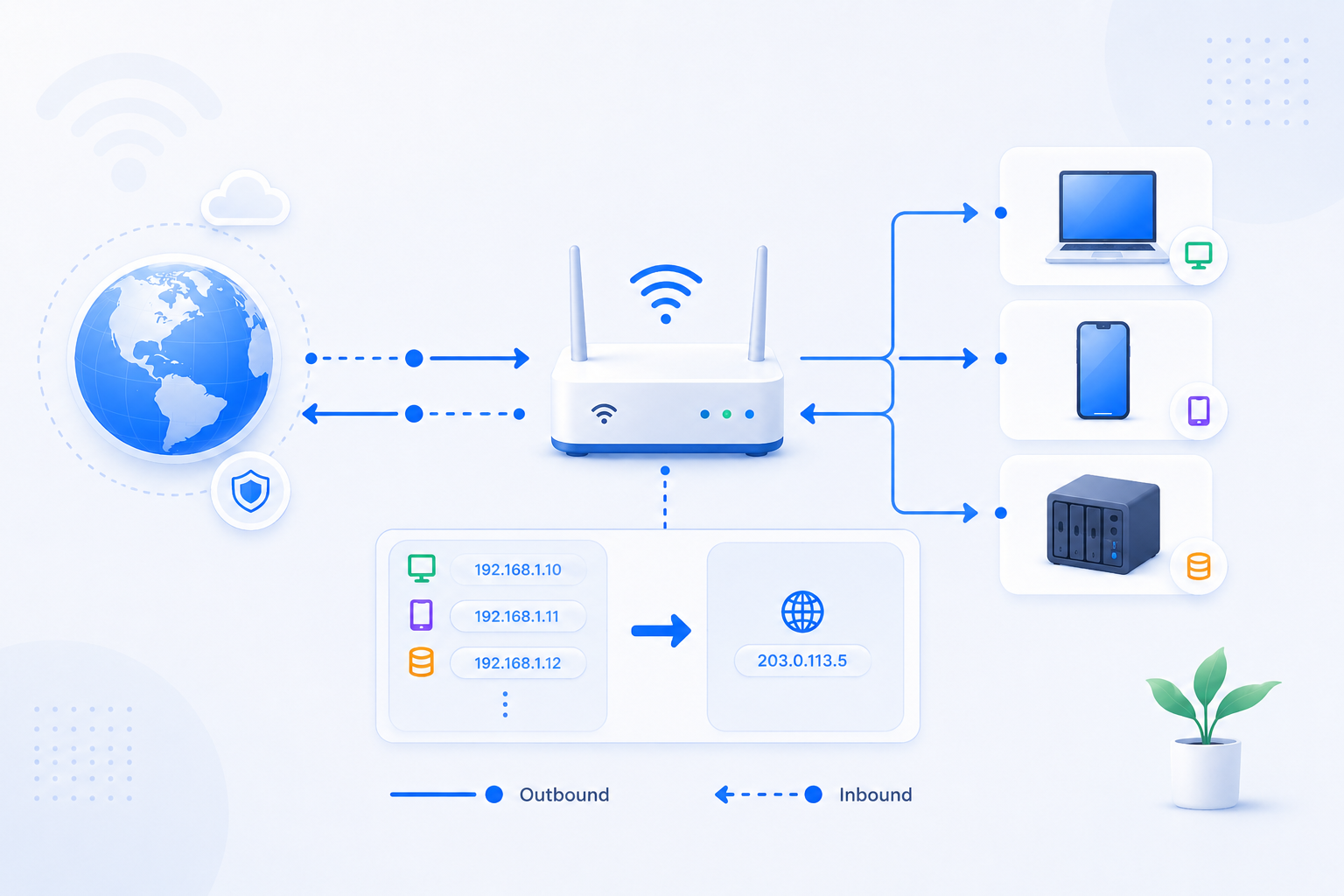
NAT stands for Network Address Translation. It lets many private local devices share one public-facing Internet connection.
Glossary detail reviewed - May 5, 2026
Quick context
NAT is central to how home routers work. It is also the reason incoming traffic is not automatically sent to one of your devices unless you create a rule or use a service designed to receive it.
30-second path
Use this order before you start changing settings.
Step 1Confirm the goalDecide whether this page is about login, open ports, Wi-Fi settings, or NAT diagnosis.Port Forwarding HubStep 2Verify with a toolBefore changing settings, check the outside-visible IP, port, DNS, or NAT signal you need.Port CheckerStep 3Narrow the blockerIf the result is not expected, narrow it through firewall, double NAT, CGNAT, and wrong-router checks.Troubleshooting
What to know first
Main purposeTranslate local private addresses to the public side
Good sideLets many devices share one connection
ComplicationInbound traffic needs extra guidance
Step-by-step
- Start with the idea that your home has many private local addresses but usually only one public-facing path.
- NAT helps the router keep track of which outbound traffic belongs to which local device.
- For normal browsing, this works automatically because the connection starts from inside the network.
- For inbound access from the Internet, NAT does not know which local device should receive the traffic unless you provide a rule.
- That is why port forwarding, DMZ, UPnP, double NAT, and CGNAT all keep pointing back to NAT behavior.
Checks and notes
- NAT is normal in home networks and is not automatically a problem.
- Double NAT and CGNAT are more specific cases where multiple translation layers complicate inbound access.
Warnings
- Avoid using DMZ or broad exposure as a shortcut unless you understand the extra risk you are creating.