
Router Login
10.0.0.1 Login Guide
Use this guide when 10.0.0.1 opens an ISP gateway or provider-managed router and you need to decide whether login, bridge mode, or double-NAT cleanup comes first.
Expanded high-traffic login page review - May 7, 2026
Quick context
10.0.0.1 often appears on ISP-provided gateways. In these environments, simple login is only part of the job. The bigger question is whether the ISP gateway is the final NAT device or whether your own router sits behind it and still needs a second step.
Use this order before you start changing settings.
See the flow visually
10.0.0.1 often means upstream gateway decisions come first
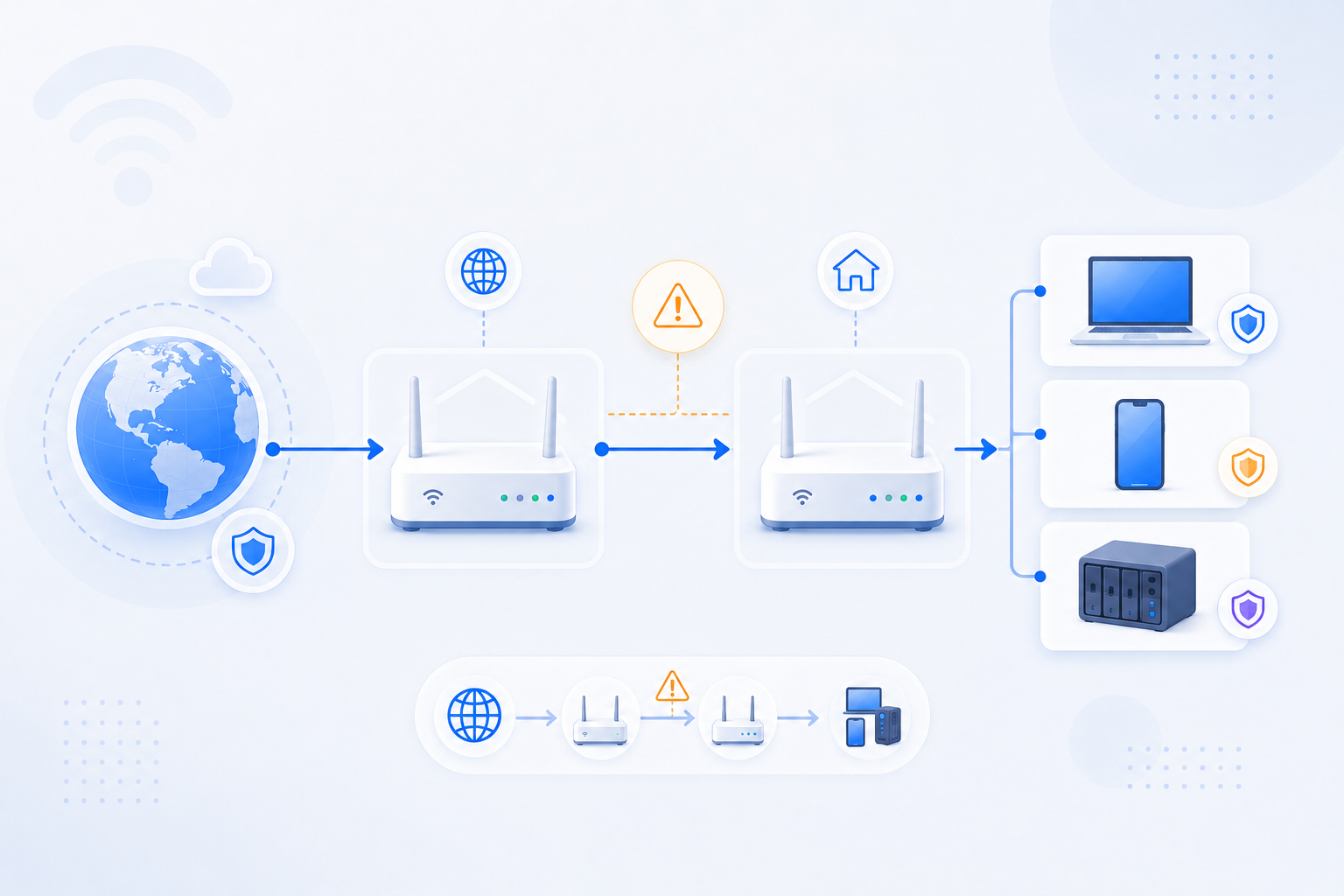
If 10.0.0.1 is the active admin page, login alone is not the end goal. RouterWiz should help users decide whether the gateway must be simplified before the downstream router can work correctly.
- Gateway login is often upstream troubleshooting, not final setup.
- Double NAT is common on this address family.
- Downstream router rules may fail until the upstream role is fixed.
Related visual cues
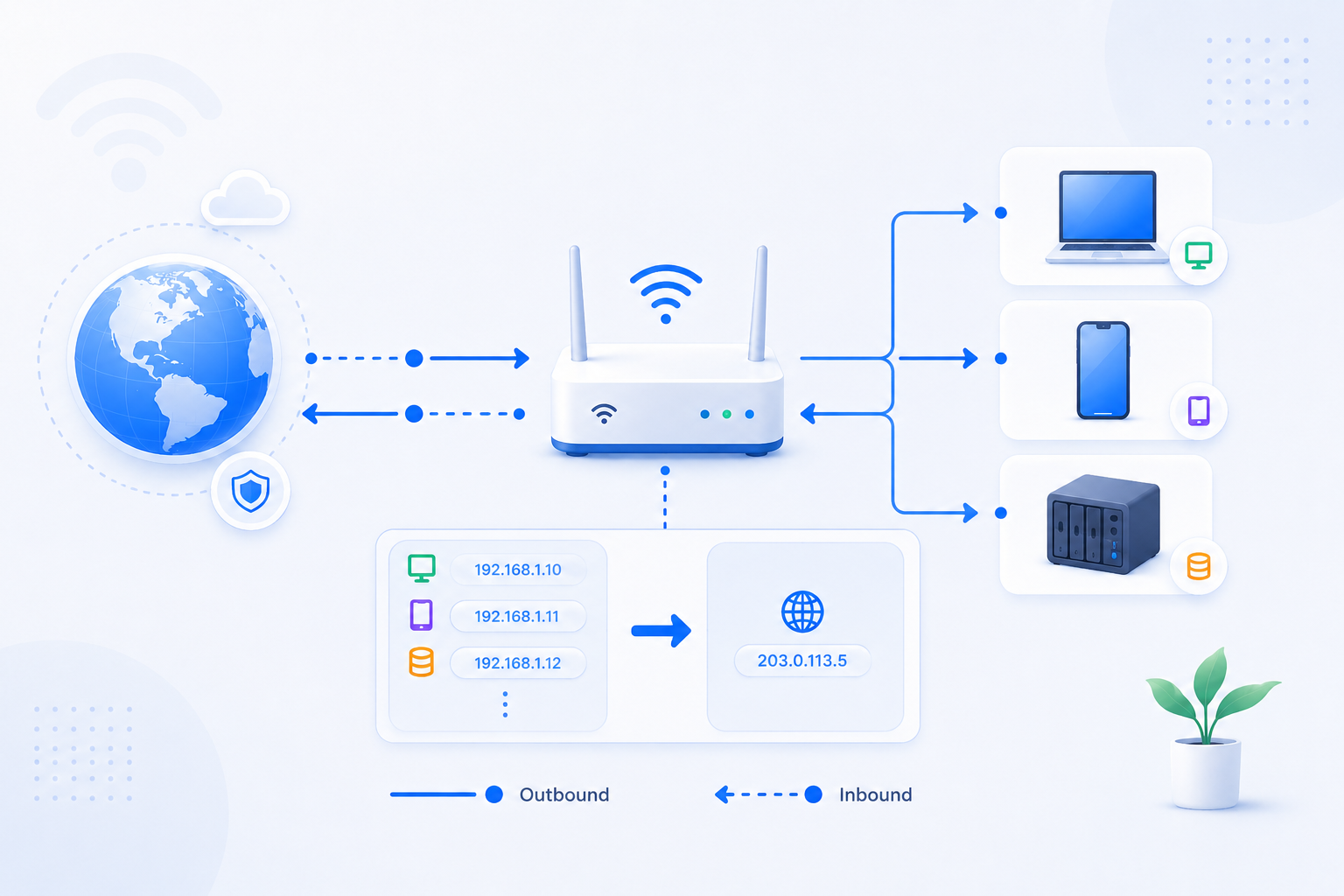
Helpful visuals for this page
Selected RouterWiz visuals that match this topic.
What to know first
Step-by-step
- Connect directly to the gateway network and open http://10.0.0.1 from a device that is clearly inside that local path.
- Confirm whether the page belongs to the ISP gateway, not just any personal router or mesh node behind it.
- If your home uses a second router, compare that router's WAN IP against the gateway LAN range to determine whether double NAT exists.
- If remote access or port forwarding is the goal, check whether bridge mode, passthrough, or DMZ is required before you touch rules on the second router.
- Record the exact ISP device model because the available features vary more widely on provider-managed hardware than on ordinary retail routers.
- Continue to the downstream router only after the gateway role is clear.
Checks and notes
- A working 10.0.0.1 login does not mean the gateway exposes every setting you need. Some ISP devices lock or hide advanced options.
- If the second router WAN IP is private, double NAT is usually part of the story.
- Some homes use mesh gear behind the ISP gateway, which can make login and forwarding paths feel split across two interfaces.
Warnings
- Do not assume the ISP gateway is the only router that matters for inbound access.
- Do not change bridge-mode-like features casually if voice, IPTV, or other bundled ISP services depend on the gateway.
- Do not test only the downstream router and ignore the upstream 10.0.0.1 device when ports still look closed.
FAQ
What if 10.0.0.1 opens but I still cannot make ports reachable?
That usually means the gateway is only one layer of the path. If a second router is behind it, you may still need bridge mode, DMZ, passthrough, or a second forwarding step.
Is 10.0.0.1 usually an ISP device?
Very often, yes. It is commonly used by provider-managed hardware, which is why router login and upstream network policy matter so much on this address.
Should I troubleshoot CGNAT from this page too?
Yes, especially if the upstream service never gives you a usable public IPv4 path. In some homes, 10.0.0.1 troubleshooting eventually turns into a public-IP or relay decision, not just a menu decision.
Recommended references
Use these after the RouterWiz guide when you want provider-specific context for 10.0.0.1, especially around ISP gateways, Xfinity admin-tool access, and bridge-mode edge cases.
RouterWiz should remain the main workflow. These references are most useful when 10.0.0.1 opens an ISP-managed gateway and the real question becomes whether admin access is enabled and whether another router sits behind it.
Provider-specific references
Use these to confirm how Xfinity-style 10.0.0.1 access behaves today.
Allow Xfinity WiFi Gateway Admin Tool online access using the Xfinity app
Xfinity
Xfinity's official support page for enabling browser-based Admin Tool access to 10.0.0.1 through the Xfinity app.
This is the most direct official reference when 10.0.0.1 redirects users toward the app instead of opening the admin page immediately.
Can't Access Admin Tools via 10.0.0.1
Xfinity Community Forum
An Xfinity forum thread with an official employee response that explains a bridge-mode edge case where users may need a direct Ethernet connection and a 10.0.0.x address.
Useful when 10.0.0.1 is reachable only in special ISP gateway conditions and RouterWiz users need a real-world bridge-mode scenario.
Helpful explainers
Use these when you want a generic IP-specific explanation of 10.0.0.1 and common gateway patterns.
10.0.0.1: Router Admin Login | Troubleshooting Guide
WhatIsMyIP.com
A current 10.0.0.1 explainer covering common provider and business-class gateway patterns, with troubleshooting context.
Good for users who need a generic explanation of why 10.0.0.1 often behaves differently from a personal router login page.
Xfinity Router Login and Password
WhatIsMyIP.com
A provider-focused login explainer mentioning 10.0.0.1, 192.168.100.1, and other gateway login variants used by Xfinity hardware.
Useful when users need a broader explanation of how Xfinity login paths vary by gateway model and firmware.